Exploring ClawdBot (now: Moltbot)
I often find myself scrolling X & HackerNews in order to keep up with all things tech and, ever since the release of the AlphaGo documentary which really magnified my interest in this area, all things ML / AI.
Recently I've seen a complete explosion of interest in ClawdBot and the interest in the public repo reflects this ⭐️.
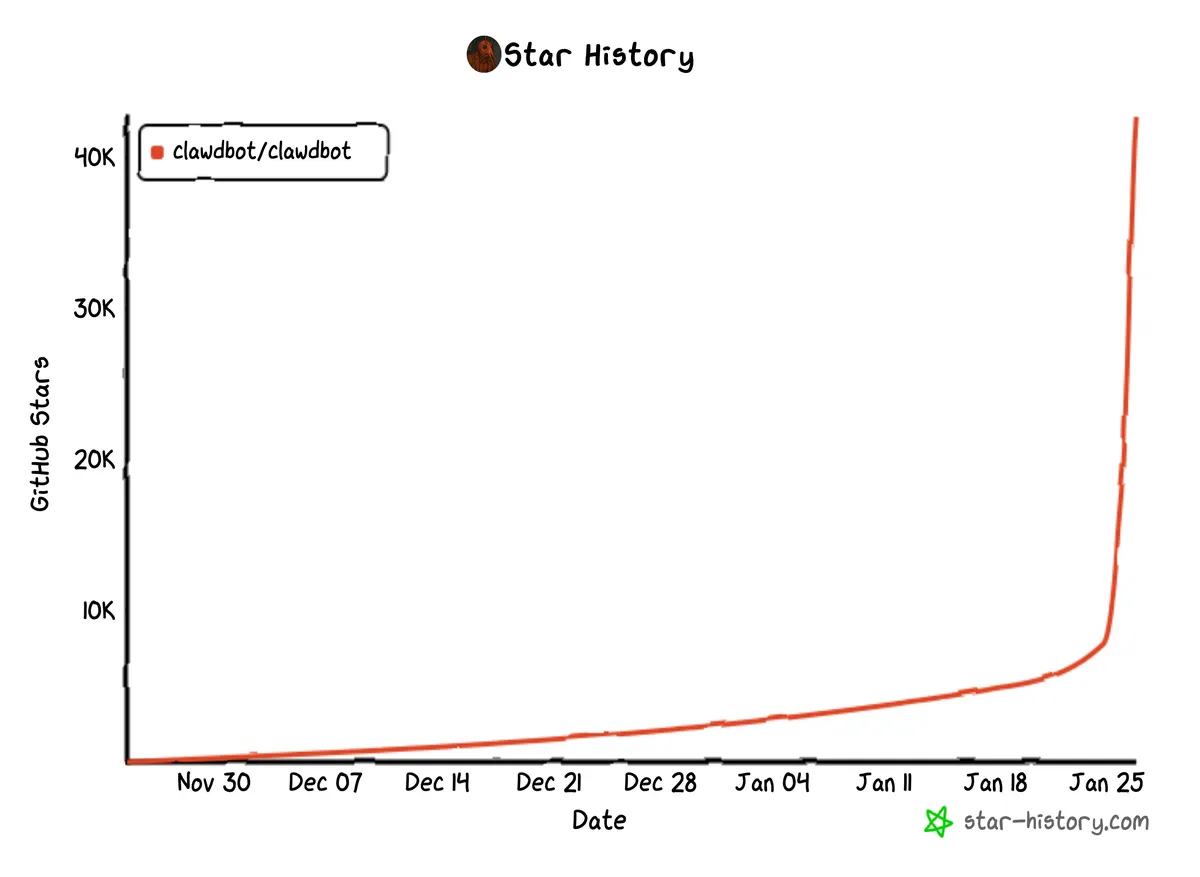
I've given ClawdBot a whirl, messed around with it for 20 or so minutes and honestly, this tool feels different. ClawdBot is like having an AI system running 24/7 with a greater level of autonomy and integration that you'd expect from leading AI models such as ChatGPT / Claude - across digital services you interact with every day incl. WhatsApp, Telegram, Signal, Gmail, Apple / Google Calendar, GitHub etc.
People have quipped that we finally have "AI, but with hands" or Jarvis... Not quite yet, but I think this implementation is much more useful and personable than using current Siri, ChatGPT or Claude via their official apps. It's difficult to see a future where leading labs such as OpenAI and Anthropic don't focus on AI systems that can deliver a similar level of autonomy.
A lot of tinkerers and people interested in the AI space have been purchasing Mac Minis to run ClawdBot, largely for the availability of certain Apple APIs for iMessage, iCal and Notes.
If however, like me, as a Backend Software Engineer you happen to have an old ThinkPad laying about you've installed Ubuntu / Arch on a million times - you can get started now without a Mac Mini! Now is the time to dust this off and get started with ClawdBot in ~10 minutes.
What I'm Using to Get Started
ThinkPad X1 Carbon (Gen. 8)
- Ubuntu 22.04
- i3 Window Manager
- Konsole
Claude Pro Subscription - £18 p/m
Yes. That really is it.
Setup
You can simply run npm install -g clawdbot@latest in your favourite terminal to get started. Node version 22 and above is required for ClawdBot but it will handle this installation for you.
For those of you who love to closely inspect install scripts like me, you can use:
curl -fsSL https://clawd.bot/install.sh | bash
Brew is recommended as it's the first point of call to install additional functionality - a skill. And if a skill doesn't come pre-packaged with ClawdBot, there's a good chance you can browse for it on ClawdHub.
Now it's installed I'd highly recommend using the installation wizard via CLI. Here, it will walk you through configuring your favourite model to use and the channel to use for communicating with the gateway - popular choices are WhatsApp, Telegram and Signal. I've chosen Claude Opus 4.5 as it currently ranks as the best coding model and Telegram, as the setup of your own bot using @BotFather is very straightforward.
Where I Hit Snags
I said ~10 minutes, and that's true if everything goes smoothly. I went through the installer on a ThinkPad X1 Carbon and a much older ThinkPad X270 - here's what I found that can trip you up.
Telegram Bot Token Permissions: When setting up via @BotFather, you'll need to do some pairing - ensuring the gateway can process incoming messages from your Telegram user. If you send a message to your new Telegram Bot, integrated with ClawdBot without this you'll get a message similar to;
Clawdbot: access not configured

Your Telegram user id: 123456789

Pairing code: ABCD99EF

Ask the bot owner to approve with `clawdbot pairing approve telegram <code>`
As the message suggests, running clawdbot pairing approve telegram <pairing code> in your terminal configures this properly and you can get started straight away!
Node Version Gymnastics: The installer claims it handles Node 22 for you, but it assumes you're using nvm. On my ThinkPad X270 I had Node 18 installed via apt, and the installer just... failed silently. Uninstalling the apt version and letting ClawdBot bootstrap nvm fixed it.
Nothing catastrophic, but definitely worth knowing before you start.
Messing Around with ClawdBot
OK, after configuring Telegram via the ClawdBot CLI - let's ping a message and see how it goes.
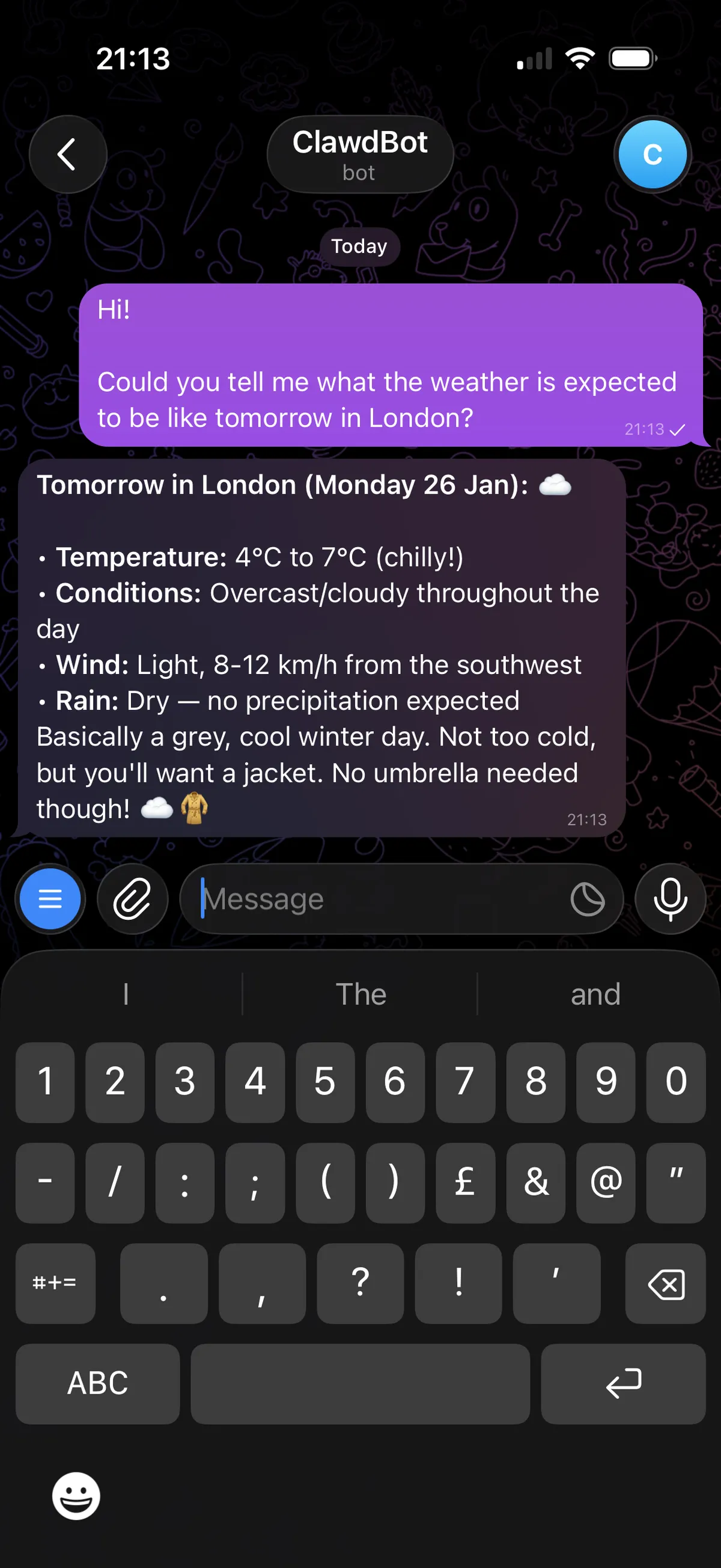
Great! The integration with Telegram works and ClawdBot has let me know the weather is predictably chilly in January London. At this point I tried a few more softball questions just to evaluate the response time of the ClawdBot Gateway via Telegram - everything working and responding as you could expect for an AI model in early 2026. Just feels like it's proxying requests to an AI model via Telegram at this stage.
Now we need to further unlock the 'Personal Assistant' side of ClawdBot. After using the CLI to install github cli and authenticating to my account, let's see how well it works with my personal GitHub account.
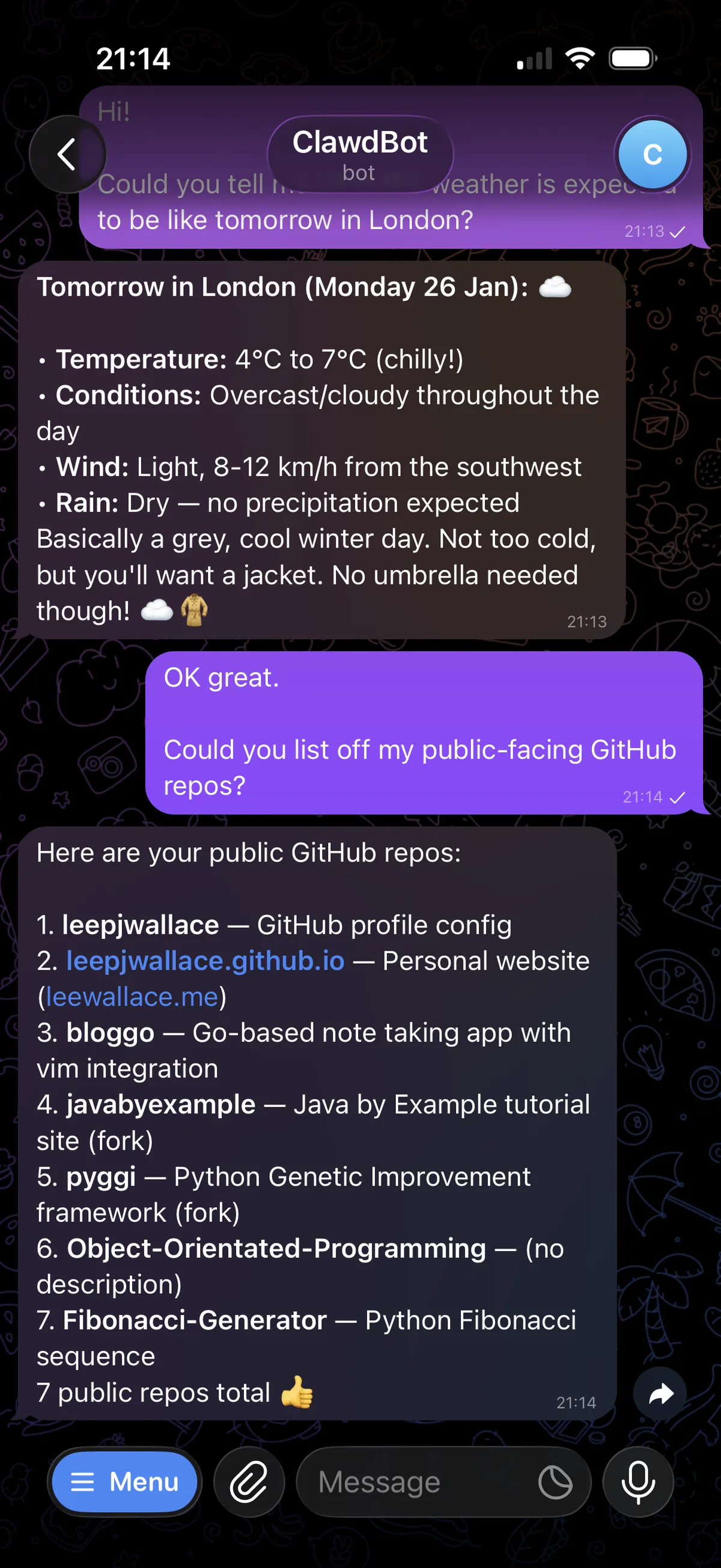
Able to list my public repos, very nice. What happens if I'm on the road and fancy a code change?
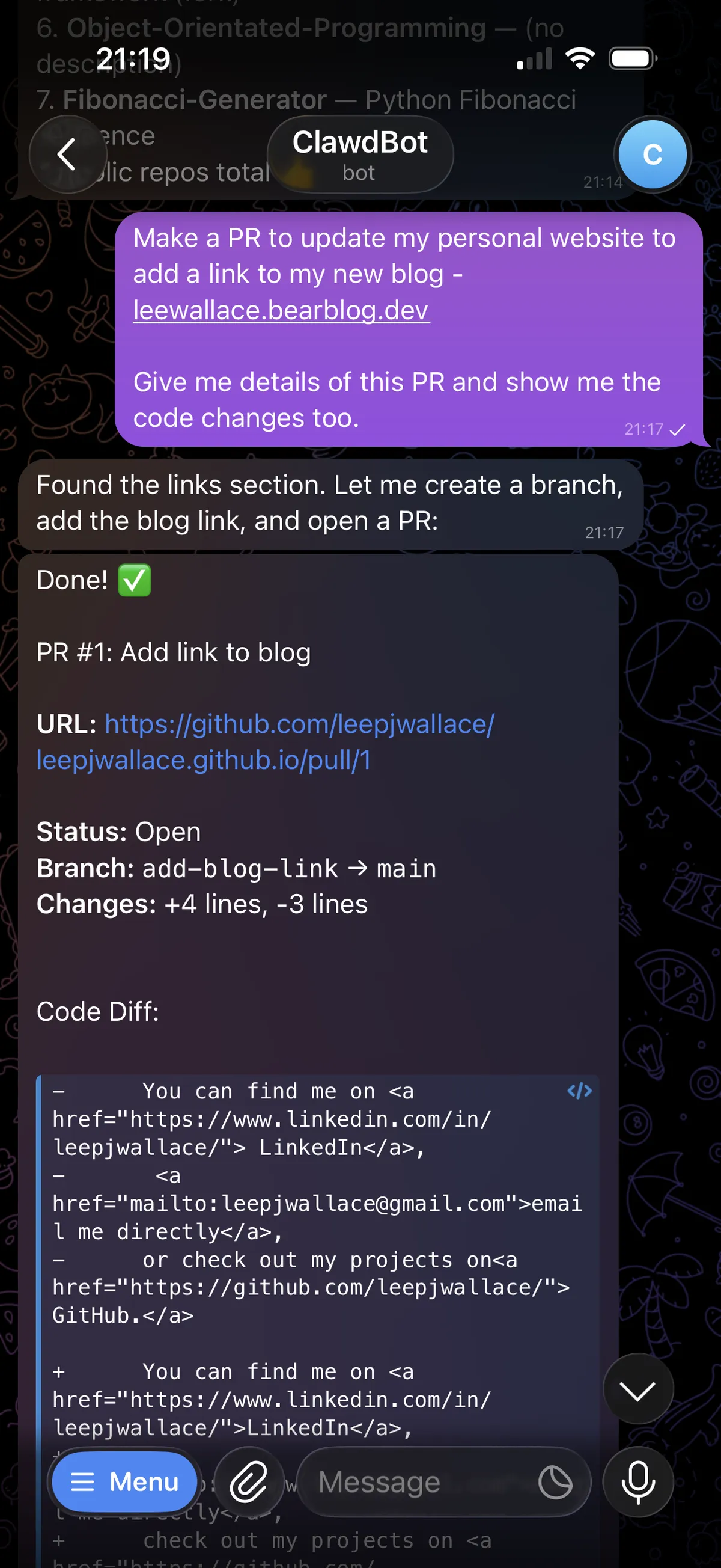
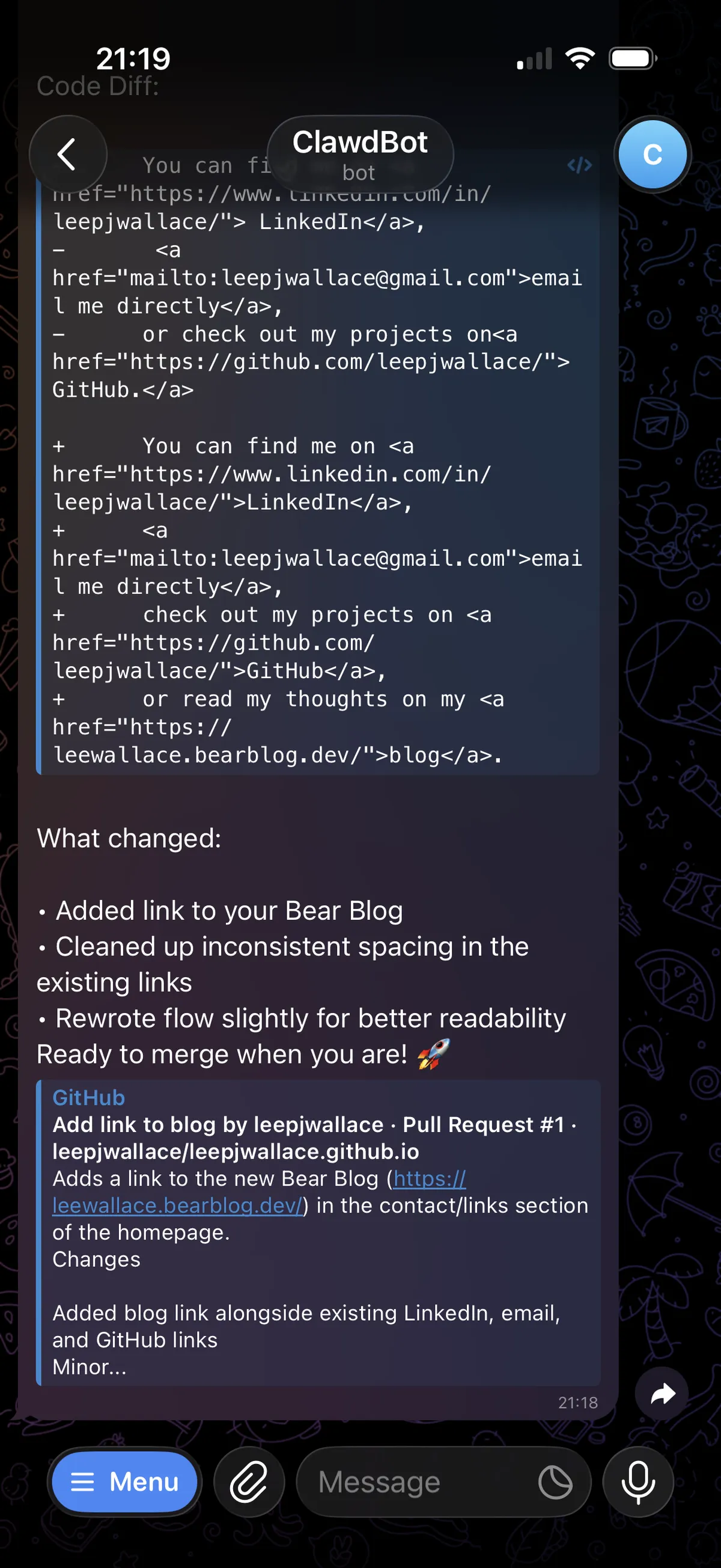
OK - starting to get to grips with the power/effectiveness of this now. It's just made a PR with my requested code change whilst I sip on my cup of tea watching Fallout S2.
The GitHub PR in Detail
Let me break down exactly what happened. I sent:
Make a PR to update my personal website to add a link to my new blog - leewallace.bearblog.dev

Give me details of this PR and show me the code changes too.
ClawdBot responded within about 15 seconds confirming it understood the task. Then, roughly 45 seconds later, I got a message with a link to PR #1.
Here's what the diff actually looked like:
      - You can find me on <a href="https://www.linkedin.com/in/leepjwallace/"> LinkedIn</a>,
      - <a href="mailto:leepjwallace@gmail.com">email me directly</a>,
      - or check out my projects on<a href="https://github.com/leepjwallace/"> GitHub.</a>
      + You can find me on <a href="https://www.linkedin.com/in/leepjwallace/">LinkedIn</a>,
      + <a href="mailto:leepjwallace@gmail.com">email me directly</a>,
      + check out my projects on <a href="https://github.com/leepjwallace/">GitHub</a>,
      or read my thoughts on my <a href="https://leewallace.bearblog.dev/">blog</a>.
Here's the Pull Request with its description of its own code changes.
Tiny change. But an interesting first impression. Since this point I've had ClawdBot update entire backend Go services from using MongoDB to Postgresql via Supabase - this worked perfectly and matched existing code styles, added tests, detailed PR's ...
What Linux Systems Cannot Do (Yet)
Just as a quick visual - here's the functionality gap vs. Mac mini users.
| Feature | Mac | Linux |
|---|---|---|
| iMessage integration | ✅ | ❌ |
| Apple Calendar sync | ✅ | ❌ |
| Apple Notes access | ✅ | ❌ |
| System audio transcription | ✅ | ❌ |
| Google Calendar | ✅ | ✅ |
| Gmail | ✅ | ✅ |
| Telegram/Signal/WhatsApp | ✅ | ✅ |
| GitHub/GitLab | ✅ | ✅ |
| Local shell access | ✅ | ✅ |
| Polymarket trading | ✅ | ✅ |
If you're deep in the Apple ecosystem and want ClawdBot to schedule iCal events or respond to iMessages, you genuinely do need that Mac Mini. The Apple integrations rely on applescript and proprietary APIs that simply don't exist on Linux.
A Note on Security
Let's address the elephant in the room: you're giving an AI agent running as a daemon persistent access to your GitHub, potentially your email, and your messaging apps. That should make you at least slightly uncomfortable.
Here's what I've observed about how ClawdBot handles this:
Credentials are stored locally in ~/.clawdbot/credentials/, encrypted at rest using a key derived from your system's machine-id. Not bulletproof, but better than plaintext.
Skill permissions are granular. When you install the GitHub skill, it asks for specific scopes (repo, read:user, etc.) rather than blanket access. You can revoke these from GitHub's settings.
There's an audit log. Every action ClawdBot takes is logged to ~/.clawdbot/logs/actions.jsonl. I've been spot-checking this, and it accurately reflects what actions it's taken.
No cloud storage of credentials. The ClawdBot Gateway runs locally - your API keys never leave your machine. The Telegram/WhatsApp message is sent to your local daemon, which then calls the Claude API directly.
That said, this is still a young project, and I wouldn't connect anything truly sensitive (production servers, financial accounts beyond play money) until there's been more scrutiny and PoC's from the community.
Cost and Resource Usage
The £18/month Claude Pro subscription gives you access to Opus 4.5 with fairly generous rate limits. In my first few days of casual use - maybe 15-20 interactions per day ranging from quick questions to a few GitHub PR workflows - I haven't hit any throttling.
If you're planning heavier use, you'll want to keep an eye on this. The ClawdBot CLI has a clawdbot usage command that shows your token consumption, though it's not perfectly accurate for streaming responses.
As for system resources: the daemon idles at about 80MB of RAM and negligible CPU. When actively processing, it spikes briefly but nothing that would cause great concern. This could probably run comfortably on a recent Raspberry Pi - 4 or 5.
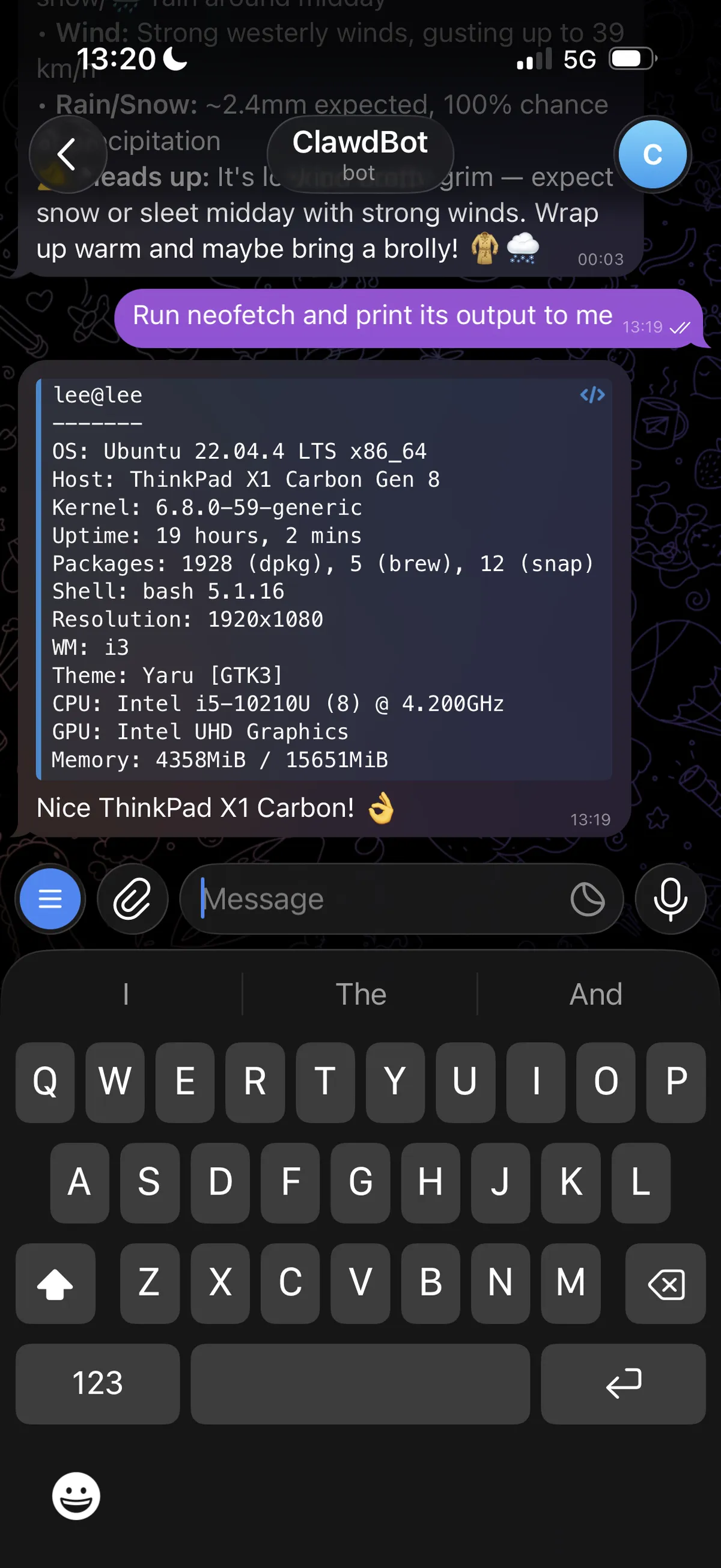
As the ClawdBot Gateway is running on my ThinkPad as a daemon and plugged in - I'm able to quickly remind myself of the system specs and memory usage whilst I'm out and about...
What's Next for Me
I'm planning to connect my Calendar next and set up a cron job that runs every morning - "what's on my calendar today, any urgent emails, any PRs waiting for my review". The kind of thing that would take me 10 minutes of context-switching every morning to check manually. I saw someone has taken this a step further and made a cron job where ClawdBot generates a dynamic image using nano banana pro with their daily lists of tasks - in the style of The Simpsons. Please, stop what you're doing and check this out.
Ideally, I'd like ClawdBot to run on a dedicated machine, perhaps as part of a DIY home networking system incl. a HA PiHole cluster / Ubiquiti DreamMachine setup with access to Sonos and Philip Hue lighting. All home networking systems in one rack, all integrated with AI.
Maybe make a money printer with Polymarket integration?
What would make me stop using it? Constant glitches or unexpected behaviour. I ran into an issue where, if I sent a message during its execution of a use of a third party tool, such as Claude Code, the session would be stuck and all subsequent messages would fail. Here's what that experience looked like;
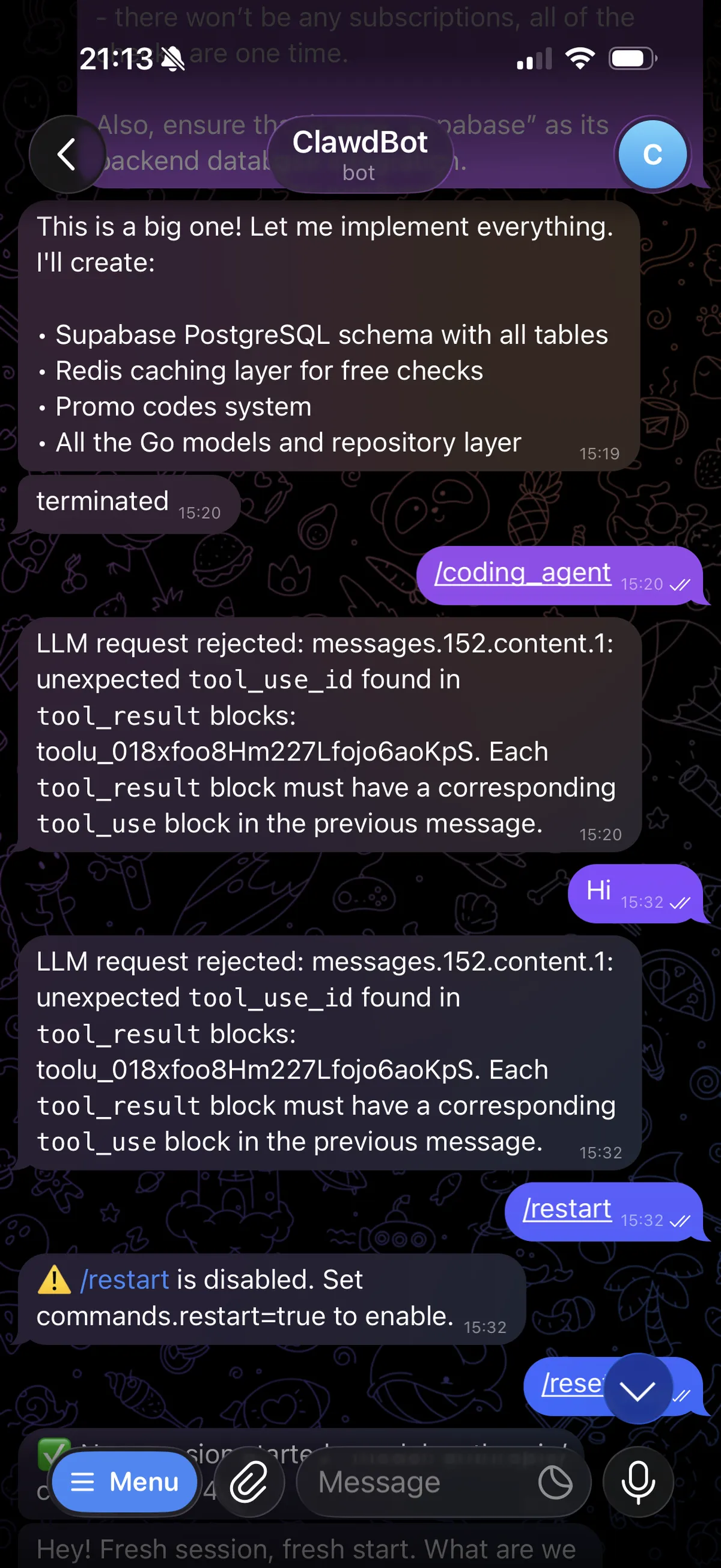
Although, it's comforting to know there was already an open issue for this when I went to create one on the ClawdBot repo.
For now, not quite Jarvis, but I'm cautiously optimistic. This feels like a glimpse of what an actually useful personal AI assistant looks like, and this early implementation is more effective today as open source than I expected.
Edit: ClawdBot has been renamed to Moltbot.
If you're trying ClawdBot on Linux and hit issues I didn't cover, feel free to reach out - I'm curious how other setups compare.